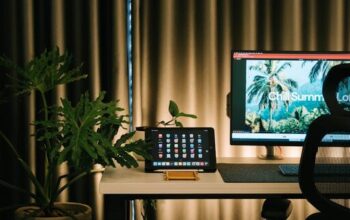
Creating a home office that is both organized and productive can significantly improve your work-from-home experience. A well-designed space helps you focus, reduce stress, and boost efficiency. Whether you have a dedicated room or a small corner in your living area, these tips will help you set up a comfortable and functional workspace that suits your needs.
Choose the Right Location
Consider Natural Light and Noise Levels
Selecting the right spot for your home office is the first step. Ideally, choose an area with plenty of natural light, as it improves mood and reduces eye strain. Avoid noisy or high-traffic parts of your home where distractions are common.
Prioritize Privacy and Comfort
If possible, pick a quiet corner or a room with a door that you can close during work hours. Comfort matters too, so ensure the area has good ventilation and temperature control.
Select Functional Furniture
Invest in an Ergonomic Chair
A comfortable, supportive chair helps prevent back pain and keeps you productive for longer periods. Choose an adjustable chair that supports your posture and allows your feet to rest flat on the floor.
Pick a Suitable Desk
Your desk should provide enough surface area for your computer, documents, and any other work materials. If space is limited, consider corner desks or wall-mounted foldable options to maximize the area.
Add Storage Solutions
Incorporate shelving, drawers, or filing cabinets to keep your supplies and paperwork organized. Functional storage helps reduce clutter and keeps essential items within reach.
Organize Your Workspace Efficiently
Declutter Regularly
A clutter-free desk enhances focus. Remove unnecessary items daily and keep only the essentials on your work surface.
Use Containers and Organizers
Desk organizers, trays, and containers can help you sort pens, paper clips, chargers, and other small supplies. Labeling containers also speeds up finding what you need.
Manage Cables Neatly
Use cable ties, clips, or under-desk trays to keep cords from tangling and creating messes. This setup not only looks cleaner but also reduces hazards.
Optimize Lighting
Combine Natural and Artificial Lighting
Balance natural light with adjustable artificial lighting to avoid glare or shadows. A task lamp with adjustable brightness is a great addition for late-night work.
Avoid Screen Glare
Position your computer screen perpendicular to windows or bright light sources to minimize glare, making it easier on your eyes.
Personalize Without Overcrowding
Add Inspiring Elements
Decorate your workspace with plants, artwork, or photos that motivate you. Green plants, for example, can improve air quality and add a calming effect.
Keep It Simple
Avoid overloading your space with too many items that can distract you. A clean, simple layout helps maintain focus.
Establish a Productivity Routine
Set Clear Working Hours
Define your work schedule and stick to it. Having clear start and finish times helps you separate work from personal life.
Take Regular Breaks
Incorporate short breaks to stretch, walk, or rest your eyes. This habit can increase your productivity and reduce fatigue.
Use Productivity Tools
Consider apps or planners to help manage tasks, deadlines, and goals. Digital tools can complement a well-organized physical space.
Maintain Your Home Office
Schedule Weekly Cleanups
Dedicate time each week to tidy your space, file documents, and dust surfaces. A regular cleanup prevents mess from building up.
Review and Adjust
Periodically assess your setup to see what’s working and what isn’t. Small changes, like repositioning your monitor or adding more storage, can make a big difference.
—
By following these tips, you can create a home office environment that supports your workflow and helps you stay motivated. Remember, the goal is to make your space comfortable, efficient, and enjoyable to work in. A thoughtfully organized home office can improve your overall work experience and well-being.