
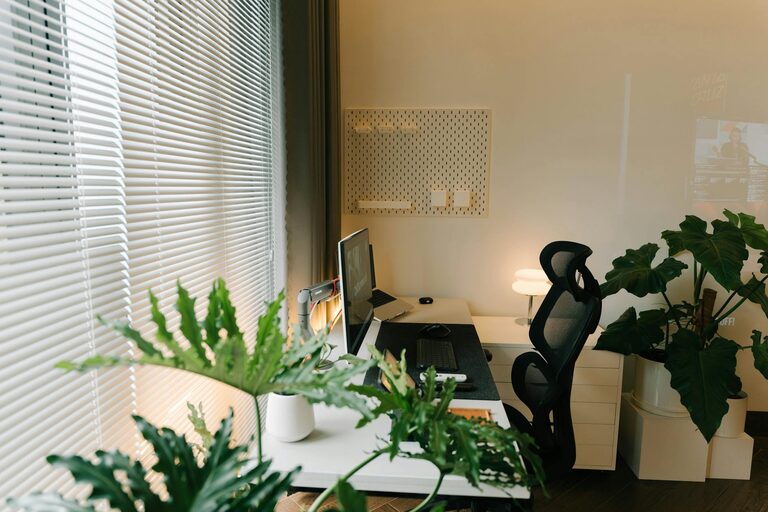
Creating an organized and productive home workspace is essential for anyone working remotely or managing tasks from home. A well-planned area not only helps you stay focused but can also improve your overall work experience and wellness. Whether you have a dedicated room or a small corner, the following tips will guide you in setting up a home workspace that promotes efficiency and comfort.
1. Choose the Right Location
Your workspace location plays a big role in your productivity. Ideally, select a quiet spot with minimal distractions. If possible, choose a space with natural light—it can improve mood and reduce eye strain.
– Avoid high-traffic areas like the living room or kitchen.
– If space is limited, use room dividers or curtains to separate your office nook.
– Consider noise-canceling headphones if external noise is unavoidable.
2. Invest in Ergonomic Furniture
Comfort is key when spending hours working. An ergonomic chair and desk support good posture and help reduce fatigue.
– Select a chair with adjustable height and lumbar support.
– Use a desk at elbow height to avoid strain on your wrists and shoulders.
– Consider a standing desk or adjustable desk converter to alternate between sitting and standing.
3. Keep Your Workspace Clutter-Free
Clutter can distract you and slow down your work. Maintaining a tidy space helps clear your mind.
– Use organizers like trays, file holders, or drawer dividers to store supplies.
– Only keep essential items on your desk.
– Regularly declutter and clean your workspace at the end of the day.
4. Organize Cables and Electronics
Messy cables can create visual noise and even safety hazards.
– Use cable clips, sleeves, or boxes to keep cords contained.
– Label cables to quickly identify devices.
– Position your computer, printer, and other electronics within easy reach but not crowded.
5. Personalize Your Space Mindfully
A personalized workspace can boost motivation, but overdecorating can be distracting.
– Add a few meaningful items like photos, plants, or artwork.
– Choose calming colors or accents that inspire you.
– Avoid too many bright or cluttered decorations.
6. Optimize Lighting
Proper lighting helps reduce eye strain and keeps you alert.
– Combine natural light with task lighting such as desk lamps.
– Use adjustable lamps to direct light where you need it most.
– Avoid harsh overhead lights and glare on screens.
7. Plan Storage Solutions
Adequate storage gives you room to organize important documents and supplies without clutter.
– Use shelves, filing cabinets, or storage bins for paperwork.
– Label storage containers clearly.
– Rotate supplies and archive old documents regularly.
8. Establish Daily Work Habits
An organized space works best when paired with good routines.
– Start your day by tidying your desk.
– Use planners or digital tools to schedule tasks.
– Take regular breaks and change your posture.
9. Minimize Distractions
Create boundaries to maintain focus.
– Turn off non-essential notifications during work hours.
– Set clear work hours and communicate them to family or housemates.
– Use noise-cancellation tools if needed.
10. Add Elements to Boost Productivity
Some small additions can make a big difference in your efficiency.
– Keep a water bottle nearby to stay hydrated.
– Use a whiteboard or bulletin board to track tasks and deadlines.
– Play background music or white noise if it helps concentration.
Final Thoughts
Designing an organized and productive home workspace is about balancing comfort, functionality, and personal preferences. By selecting the right location, investing in ergonomic furniture, and maintaining good habits, you set yourself up for success. Remember to keep your space clutter-free and customize it in a way that keeps you motivated and focused. With these tips, your home workspace can become an inspiring and efficient environment to get things done.