
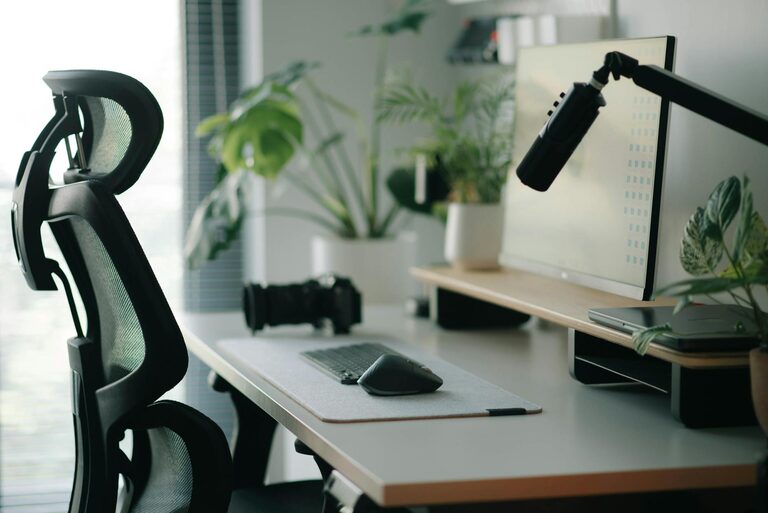
Creating a productive home office environment is more important than ever as many people continue to work remotely or blend work with home life. A well-designed workspace can help increase focus, reduce distractions, and promote a healthy work-life balance. Whether you have a dedicated room or a small corner, these tips will help you create an efficient and enjoyable home office.
Choose the Right Location
The first step in setting up your home office is selecting the best spot. Ideally, find a quiet area with minimal foot traffic to reduce distractions. A room with a door gives you privacy and helps create boundaries between work and personal time. If space is limited, a nook or a well-organized corner can work well.
Consider Natural Light
Natural light can improve mood and energy levels. Position your desk near a window to take advantage of daylight. If natural light is limited, use bright, warm LED lighting to reduce eye strain.
Invest in Ergonomic Furniture
Comfort is key to staying productive during long hours. Invest in a good quality chair that supports your back and encourages good posture. Adjustable chairs and desks allow you to find the best setup for your body.
Desk Setup
Make sure your desk has enough surface area for your computer, notebooks, and any other work essentials. Keep frequently used items within arm’s reach to avoid repetitive stretching or twisting.
Organize and Declutter
A cluttered workspace can impair focus and increase stress. Use organizers, shelves, and drawers to keep your essentials tidy. Regularly clean your desk and remove unnecessary items to maintain a neat space.
Use Cable Management
Cables and wires can quickly become tangled and messy. Use cable ties, clips, or a cable management box to keep cords organized and out of the way.
Minimize Distractions
Home environments come with many potential distractions. Set clear rules for family members during work hours, such as quiet times. Turn off non-work-related notifications on your devices and consider using noise-canceling headphones if needed.
Personalize Your Space
Adding personal touches like plants, artwork, or photos can make your home office a pleasant place to spend time. Plants, in particular, can improve air quality and add a calming effect.
Maintain a Consistent Routine
Structure and routine help maintain productivity. Start your day at the same time and create a schedule that includes regular breaks. Use tools such as calendars, task lists, or productivity apps to stay on track.
Take Breaks Wisely
Breaks can boost creativity and reduce fatigue. Use techniques like the Pomodoro method—working for 25 minutes followed by a five-minute break—to maintain focus without burnout.
Utilize Technology Effectively
Ensure your internet connection is stable and fast enough for video calls and downloads. Familiarize yourself with collaboration tools your team uses, such as Zoom, Slack, or Google Workspace.
Backup Your Work
Regularly back up important files to the cloud or an external drive. This protects your work in case of computer failure or other issues.
Maintain Work-Life Boundaries
One of the challenges of working from home is staying balanced. Try to keep work confined to your office space and avoid checking emails or work chats during personal time. Changing into work clothes in the morning or “closing” your office at the end of the day can reinforce boundaries.
Keep Improving Your Setup
Your home office needs may evolve over time. Periodically review what works and what doesn’t. Adjust your furniture, lighting, or technology as needed to maintain comfort and efficiency.
—
By following these tips, you can create a home office environment that supports your productivity and well-being. Remember, the goal is to build a space where you feel focused, organized, and motivated every day.