Creating a dedicated home office that feels both cozy and productive can significantly enhance your work-from-home experience. Whether you’re new to remote work or looking to improve your current setup, a thoughtfully designed space can boost focus and comfort. Here are some helpful tips to create a home office space where you feel motivated and at ease.
Choose the Right Location
Consider Natural Light
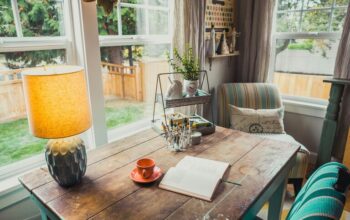
Select a spot in your home with plenty of natural light. Sunlight can improve mood and energy levels, helping you stay alert throughout your workday. Near a window is ideal, but be mindful of glare on your computer screen.
Minimize Distractions
Pick a quiet corner away from the busiest areas of your home. If privacy is limited, consider using room dividers or noise-cancelling headphones to reduce distractions.
Invest in Comfortable Furniture
Ergonomic Chair
A supportive chair that encourages good posture is essential. Look for adjustable options with lumbar support to prevent back strain during long hours of sitting.
Functional Desk
Choose a desk that fits your needs without taking up too much space. Standing desks or adjustable desks can offer flexibility and reduce fatigue.
Organize Your Space Efficiently
Declutter Regularly
Keep your desk surface tidy by only having essential items within reach. A clutter-free space helps maintain focus and decreases stress.
Use Storage Solutions
Utilize shelves, drawers, or organizers to keep paperwork, supplies, and gadgets neatly stored yet accessible. Labeling containers can save time when searching for items.
Personalize to Boost Comfort and Motivation
Add Personal Touches
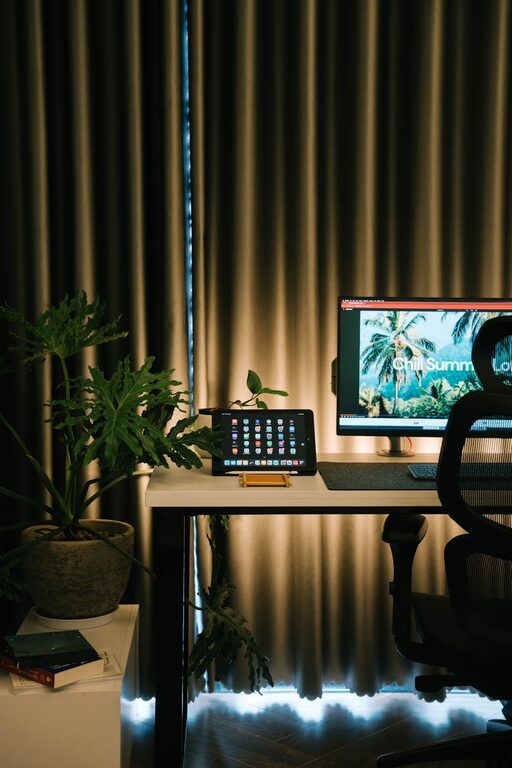
Incorporate items that inspire you such as photos, artwork, or plants. These elements create a welcoming environment and can make your workspace feel uniquely yours.
Choose Calming Colors
Soft, neutral colors often promote concentration and relaxation. If you prefer brighter hues, accents like cushions or desk accessories can add energy without overwhelming the space.
Manage Technology Wisely
Reliable Hardware
Ensure your computer, printer, and other devices are up-to-date and functioning smoothly to reduce frustrations.
Cable Management
Organize cords with clips, sleeves, or ties to keep them out of sight and prevent tangling. A clean workspace looks more professional and is easier to maintain.
Control Lighting and Temperature
Use Adjustable Lighting
In addition to natural light, invest in good task lighting such as a desk lamp with adjustable brightness. Proper lighting reduces eye strain and keeps you alert.
Maintain Comfortable Temperature
Keep the room at a comfortable temperature to avoid distractions caused by being too hot or cold. Portable heaters or fans can help regulate the environment if needed.
Create a Routine and Define Boundaries
Set Work Hours
Establish consistent work hours and stick to them. This helps separate work from personal life and improves productivity.
Communicate Boundaries
If you share your home with family or roommates, clearly communicate your schedule to minimize interruptions.
Incorporate Break Areas and Movement
Include a Relaxation Spot
If space allows, add a small chair or corner for short breaks. Changing posture and scenery can refresh your mind.
Encourage Movement
Plan for short stretches or walks during breaks to reduce stiffness and maintain energy levels.
—
By implementing these tips, you can design a home office that supports both comfort and productivity. Remember that your space should reflect your work style and preferences, making remote work not just effective but pleasant too. Happy decorating and working!